
Access All-in-One Online Tool – i Love Compressor
Image Resizer
Resize images effortlessly with our Image Resizer Tool. Adjust dimensions instantly while preserving quality for social media, websites, and more!
Image Compressor
Effective Image Compressor: Reduce picture size quickly without compromising quality. For optimized photographs, there is an easy preview, a smooth progress bar, and instant download.

Merge PDF
Easily merge PDF files online with iLoveCompressor. Combine multiple PDFs into one organized document in seconds — fast, secure, and free. Perfect for invoices, reports, forms, and more. No installation required!
PDF Compressor
A PDF Compressor is a tool used to reduce the file size of PDF documents without significantly affecting their quality.It works by optimizing images, removing unnecessary data, and compressing content


HEIC TO JPG
With the iLoveCompressor HEIC to JPG converter, you get a nifty, quick, and quite a secure way of making your HEIC pictures accepted everywhere without limitations.
HEIC TO PDF
With the iLoveCompressor HEIC to PDF converter, you get a nifty, quick, and quite a secure way of making your HEIC pictures accepted everywhere without limitations.
PDF TO JPG
Convert PDFs to high-quality JPG images quickly, preserving
clarity and detail for easy use and sharing in various formats.
JPG TO PDF
To easily convert JPG images to PDF files, use our application. Create neat, polished PDFs that are simple to share and store while maintaining image quality and resolution.
PDF TO PNG
Convert PDFs to high-resolution PNG pictures while maintaining detail and quality for flexible use and simple digital sharing.
PNG TO PDF
Transform PNG images into high-quality PDFs with ease. Our
converter preserves image clarity and color, creating professional
and shareable documents quickly and efficiently.
PDF TO CSV
To facilitate data handling and analysis, a PDF to CSV converter converts tabular data from PDFs into CSV format.

PDF TO EXCEL
Convert PDFs to Excel quickly and accurately while maintaining layout and data integrity for smooth spreadsheet integration.

PDF TO HTML
Easily convert PDFs to HTML while maintaining layout, text, and graphics for a smooth, web-ready document experience.

PDF TO JSON
Effectively convert PDFs to JSON format to extract data in a machine-readable, structured manner for easy analysis and integration.
PDF TO WORD
Convert PDFs to editable MS Word documents with precision,
maintaining formatting and layout for seamless editing and content
management.

PDF TO XML
Accurately convert PDFs to XML format, maintaining layout and content integrity while extracting structured data for integration and analysis.
PDF TO ZIP
Quickly convert PDFs to ZIP files to compress documents into a smaller size for simpler management, sharing, and storage.
PDF TO WEBP
Effectively convert PDFs to WebP pictures, guaranteeing crisp graphics with smaller file sizes for better online performance and quicker loading.
PDF TO TEXT
Convert PDFs to editable text quickly with our tool. Accurate content extraction and preservation make it ideal for editing, reuse, and effective data handling.
CSV TO PDF
Use our converter to quickly and easily convert CSV data into well-formatted PDFs. Ideal for creating clear, professional documents from spreadsheets. Simple, fast, and accurate conversion process.
EXCEL TO PDF
Convert Excel spreadsheets to professional PDFs with ease. Our application guarantees precise formatting and excellent results, making it ideal for data sharing, reports, and presentations. Simple and efficient.
HTML TO PDF
Our program makes it simple to convert HTML pages to high-quality PDFs. Maintain layouts, styles, and visuals while producing papers that are polished and simple to distribute. dependable and quick conversion.
JSON TO PDF
Convert JSON data to neatly formatted PDFs effortlessly. For reports and documentation, our solution guarantees correct data representation in a neat, polished manner.

SPEECH TO PDF
Convert speech transcripts to polished PDFs effortlessly. Our application effectively converts spoken content into polished, easily readable texts that are perfect for presentations, reports, and sharing.
TEXT TO PDF
Our converter guarantees neat formatting and polished results, making it perfect for producing papers with a clear structure and files that are simple to share.
WEBP TO PDF
Effectively convert PDFs to WebP pictures, guaranteeing crisp graphics with smaller file sizes for better online performance and quicker loading.
XML TO PDF
Convert HTML files to professional PDFs seamlessly. Our tool
preserves formatting and design, ensuring accurate, high-quality
output suitable for reports, presentations, and online content.
Calculator

Attendance Calculator
An attendance calculator is a software tool or application designed to automate the process of tracking and calculating attendance data. It replaces manual methods like paper registers, spreadsheets, or basic digital logs

Zakat Calculator
The term “Zakat” comes from the Arabic word meaning “purification” and “growth.” The practice of giving Zakat is not just a financial transaction, but a spiritual duty designed to purify a Muslim’s wealth by distributing a small portion to those who are less fortunate.
WEBP TO PDF
Effectively convert PDFs to WebP pictures, guaranteeing crisp graphics with smaller file sizes for better online performance and quicker loading.
Features
The product can personalize user experiences by understanding user preferences and tailoring information or recommendations based on historical data and user behavior.
Multi-format Conversion
Convert PDF files into Word, Excel, PowerPoint, images, and more for a range of applications.
Batch Conversion
Convert several PDFs at once to save time and effort when processing in bulk.
High-quality Output
Preserve the original fonts, formatting, and graphics to guarantee precise document replication.
Fast Processing
Savor quick conversion rates that streamline processes and cut down on wait times.
Secure File Handling
To maintain privacy, encrypt important documents and have them automatically deleted after conversion.
User-friendly Interface
Even for non-technical people, conversion is easy because to intuitive design.
Le site fr-lucky31.com offre une atmosphère moderne et dynamique où les joueurs peuvent profiter d’une large sélection de machines à sous, de jeux live et de bonus attractifs conçus pour enrichir chaque session.
Avec son approche innovante et sa ludothèque riche, ninecasinofr.com s’impose comme une plateforme incontournable pour les amateurs de casino en ligne à la recherche de fluidité, de sécurité et de promotions régulières.
L’accès instantané aux jeux est la promesse de instantcasino-france.com. Interface rapide, chargements immédiats et navigation simplifiée en font une destination idéale pour ceux qui souhaitent jouer sans aucune attente.
Réputé pour sa diversité et ses performances techniques, CBet combine casino en direct, paris sportifs et jeux modernes. Une plateforme complète pensée pour les joueurs exigeants à la recherche d’excitation et de fiabilité.
The Ultimate Guide to PDF Management with iLoveCompressor.com
In the digital age, PDFs are a cornerstone of document management, used by professionals, students, and businesses for everything from contracts to presentations. However, managing PDFs efficiently—whether converting, compressing, or organizing them—can be challenging without the right tools. Enter iLoveCompressor.com, a powerful, user-friendly online platform that transforms how you handle PDFs. This guide explores how to go to the material leverage iLoveCompressor.com’s features for seamless PDF management and shares expert tips to optimize your workflow.
Why PDF Management Matters
PDFs are universal, preserving formatting across devices and platforms, making them ideal for sharing and archiving. However, tasks like editing, converting, or compressing PDFs can be time-consuming without a reliable tool. Poorly managed PDFs can lead to:
-
Wasted Time: Manual conversions or reformatting eat into productivity.
-
Security Risks: Unprotected files may expose sensitive data.
-
Workflow Bottlenecks: Inefficient tools slow down bulk processing.
iLoveCompressor.com addresses these challenges with its all-in-one PDF solution, offering multi-format conversion, batch processing, and top-tier security. Let’s examine its operation and the reasons it is revolutionary.
Key Features of iLoveCompressor.com for High-Value PDF Management
Trusted by millions and backed by the PDF Association, iLoveCompressor.com combines versatility, speed, and security to deliver a premium PDF experience. Here’s how its features elevate your document management:
1. Multi-Format Conversion for Ultimate Flexibility
Need to convert a PDF to Word for editing or transform a spreadsheet into a PDF? iLoveCompressor.com supports a wide range of formats, including:
-
PDF to Word: Edit text-heavy documents with ease.
-
PDF to Excel: Extract data for analysis or reporting.
-
PDF to PowerPoint: Repurpose slides for presentations.
-
PDF to Images (JPG, PNG): Share visuals or create thumbnails.
This versatility ensures you can adapt documents for any purpose, from business reports to academic projects.
Use Case: A freelancer converting client PDFs into editable Word documents for quick revisions.
2. Batch Conversion to Save Time
Handling multiple files? iLoveCompressor.com’s batch conversion feature lets you process dozens of PDFs simultaneously. Whether you’re preparing invoices, archiving records, or sharing presentations, this feature streamlines bulk tasks.
-
Time-Saver: Convert 20 PDFs in the time it takes to process one.
-
Pro Tip: Organize files in folders before uploading to maintain order during batch processing.
3. High-Quality Output for Professional Results
Unlike some tools that distort fonts or images, iLoveCompressor.com ensures your converted files retain their original formatting. This is crucial for:
-
Business Documents: Contracts and proposals that need to look polished.
-
Creative Projects: Portfolios or presentations with precise layouts.
User Feedback: “I converted a 50-page PDF to Word, and every chart stayed perfect!” – John, Small Business Owner.
4. Lightning-Fast Processing
Slow conversions can disrupt your workflow. iLoveCompressor.com’s optimized platform delivers near-instant results, even for large files or bulk tasks. This speed is ideal for professionals under tight deadlines.
-
Advantage: Convert a 100MB PDF in seconds.
-
Best Practice: Use a stable internet connection for uninterrupted processing.
5. Secure File Handling for Data Protection
Security is non-negotiable when handling sensitive documents. iLoveCompressor.com uses:
-
SSL Encryption: Protects your files during upload and download.
-
ISO 27001 Compliance: Meets global standards for data security.
-
Automatic File Deletion: Removes uploaded files after conversion to prevent unauthorized access.
Why It Matters: Safely convert confidential files like financial reports or legal contracts without risk.
6. User-Friendly Interface for All Skill Levels
No tech expertise? No worries. iLoveCompressor.com’s intuitive design makes PDF management accessible to everyone. With drag-and-drop functionality and clear instructions, you can convert files in three simple steps:
-
Upload your PDF(s).
-
Choose your output format.
-
Download the converted file.
Perfect For: Students, educators, small businesses, and non-technical users.
Expert Tips for Optimizing PDF Management with iLoveCompressor.com
To maximize the value of iLoveCompressor.com, follow these expert strategies:
1. Compress PDFs for Faster Sharing
Large PDFs can be cumbersome to email or upload. Use iLoveCompressor.com to reduce file size while maintaining quality, perfect for sharing via email or cloud platforms like Google Drive.
-
How-To: After conversion, select the “Compress PDF” option to shrink file size by up to 70%.
-
Benefit: Faster uploads and lower storage costs.
2. Combine Conversion with Editing
Convert PDFs to editable formats like Word or Excel, make changes, then convert back to PDF for sharing. This workflow is ideal for collaborative projects or iterative document updates.
-
Example: Edit a contract in Word, then convert it back to PDF for signing.
3. Leverage Batch Processing for Large Projects
For tasks like archiving annual reports or preparing training materials, use batch conversion to process multiple files at once. This saves hours compared to manual conversions.
-
Pro Tip: Name files clearly (e.g., “Report_Q1_2025.pdf”) to stay organized.
4. Enhance Security with Password Protection
For sensitive documents, add password protection after conversion using iLoveCompressor.com’s security features. This ensures only authorized users can access your files.
-
Use Case: Protect client proposals or personal records.
5. Create a Document Hub
Use iLoveCompressor.com as your central tool for all PDF tasks—conversion, compression, and organization. Integrate it with cloud storage for seamless access across devices.
-
Integration Tip: Link with Dropbox or OneDrive for automatic backups.
Why iLoveCompressor.com Outshines Other PDF Tools
Here’s how iLoveCompressor.com compares to competitors:
Real-World Applications of iLoveCompressor.com
-
Businesses: Convert contracts to Word for editing, then back to PDF for e-signing.
-
Students: Transform lecture slides into PDFs for easy note-taking.
-
Freelancers: Batch-convert client deliverables to meet tight deadlines.
-
Educators: Create accessible teaching materials in multiple formats.
Get Started with iLoveCompressor.com Today
Ready to take control of your PDFs? iLoveCompressor.com offers a fast, secure, and intuitive solution for all your document needs. Whether you’re converting a single file or managing bulk projects, our platform delivers professional results every time.
Try iLoveCompressor.com Now and simplify your PDF management!
The PDF software trusted by millions of users – Online Tools iLoveCompressor.com
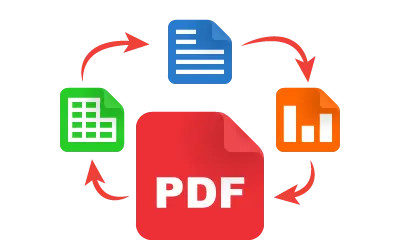
Transform any file into a high-quality PDF in seconds. Our powerful PDF-to-All Converter supports a wide range of formats, including text, images, and spreadsheets—making document conversion smooth and effortless. Perfect for streamlining your workflow and simplifying file management.



- Also Convert PDF to JPG
- Also Convert PDF to PNG
- Also Convert PDF to CSV
- Also Convert PDF to EXCEL
- Also Convert PDF to HTML
- Also Convert PDF to JSON
- Also Convert PDF to WORD
- Also Convert PDF to XML
- Also Convert PDF to ZIP
- Also Convert PDF to WEBP
- Also Convert PDF to TEXT
- Also Use Image Resizer
- Also Use Image Compressor
- Also Use PDF Compressor
- Also Use Attendance Calc.
- Also Convert JPG to PDF
- Also Convert PNG to PDF
- Also Convert CSV to PDF
- Also Convert EXCEL to PDF
- Also Convert JSON to PDF
- Also Convert SPEECH to PDF
- Also Convert TEXT to PDF
- Also Convert WEBP to PDF
- Also Convert XML to PDF
- Also Convert HTML to PDF
bettilt
bettilt
bettilt giriş
pinup
pinco
bahsegel
bahsegel giriş
paribahis giriş
paribahis
casinomhub
rokubet
slotbey
marsbahis